AI marketing operating system · Web and desktop
Your marketing team, run by AI you approve
Zoowing brings CRM and email, social publishing, content and routing into one workspace. Ask for a campaign and Zoowing plans the emails and posts; nothing goes out until you approve it.
14-day trial of every feature, then the Free plan. No card needed.
- Send through your own SMTP, Brevo or MailBridge
- Post by API or from your own computer
- Windows, macOS and Linux app
- Your AI key or included credits
Works with the tools you already use
- Brevo
- SMTP
- Anthropic
- Stripe
- Freemius
- Facebook
- Instagram
- Threads
- LinkedIn
- X
- Pinterest
- Bluesky
- YouTube
- WordPress
- GitHub
- RSS and Atom feeds
One workspace
Four marketing jobs, one place to run them
CRM and email, social, content and routing share your brands, contacts and accounts, so Ask Zoowing can plan across them.
-
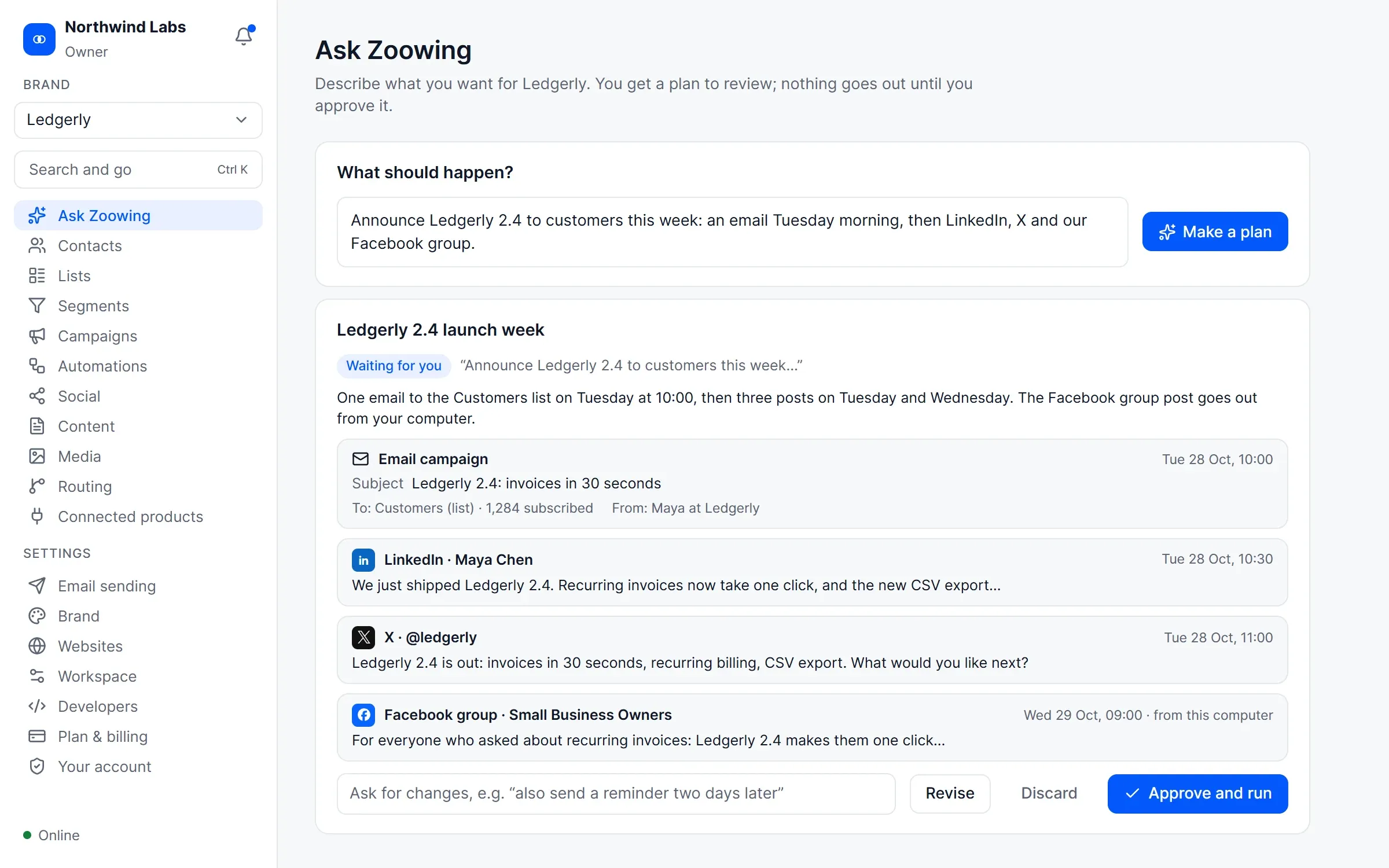
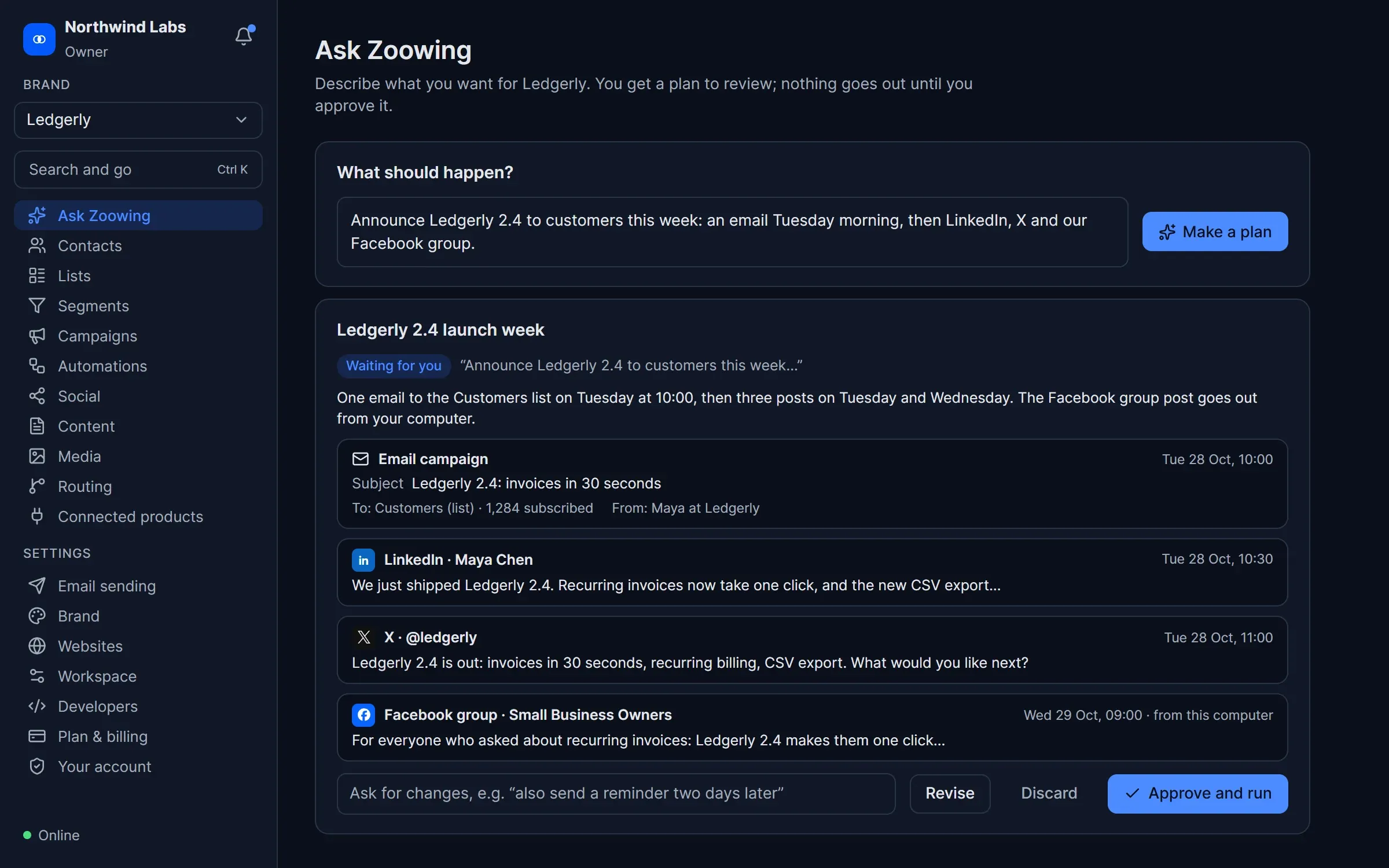
Ask Zoowing plans the work
Describe the outcome; get a plan of email campaigns and social posts with audiences, accounts and times. Edit it, revise it, approve it.
How Ask Zoowing works about Ask Zoowing plans the work -
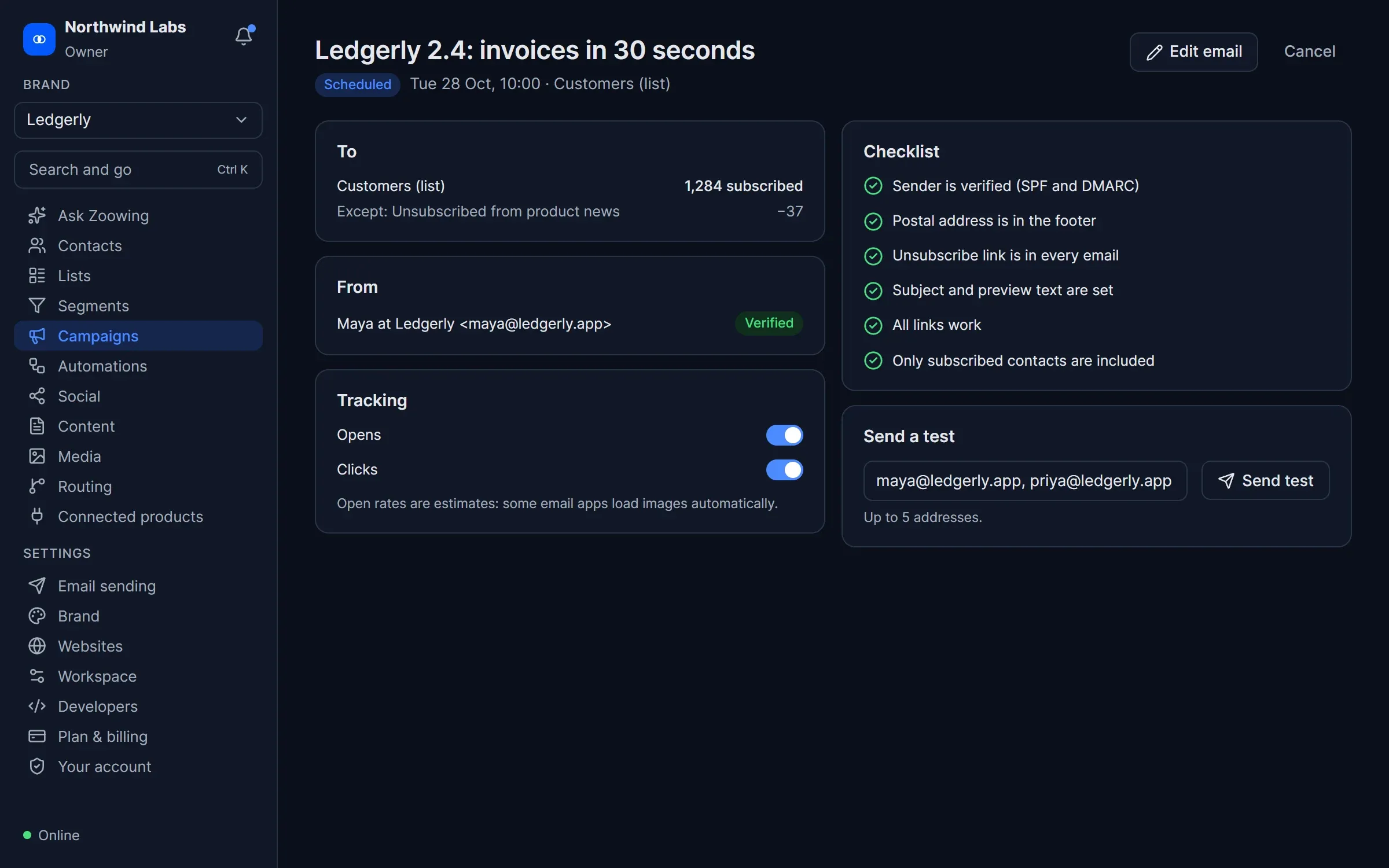
CRM and email that respect consent
Contacts per brand fed by your own products, segments you describe in words, campaigns and automations sent through your own provider.
Email marketing about CRM and email that respect consent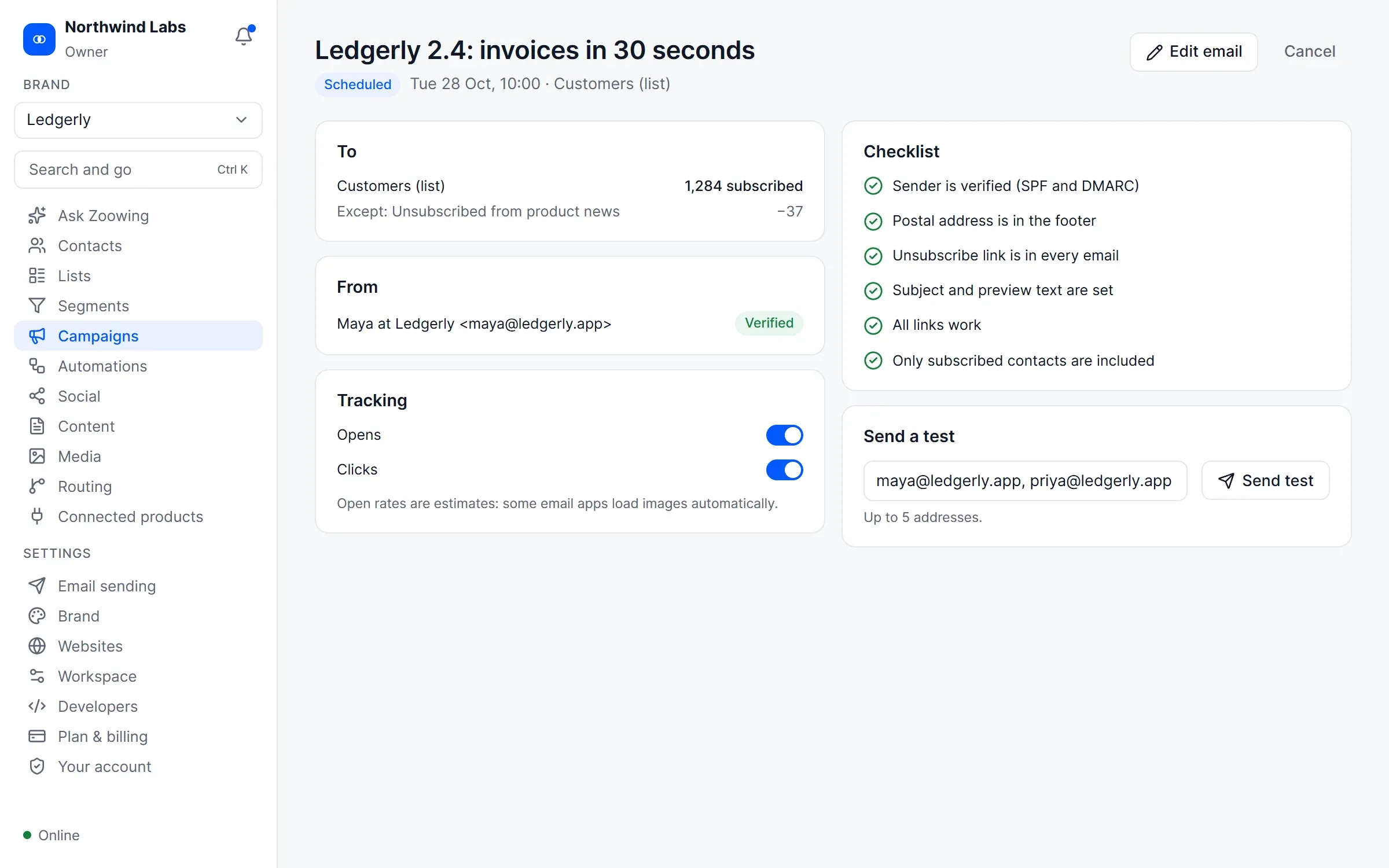
-
Social, everywhere
A version per channel, a schedule that fills itself, graphics in your brand.
Learn more about Social, everywhere -
Content that ships
Markdown articles to WordPress, GitHub, Git or SSH.
Learn more about Content that ships -
Routing
Feeds and webhooks in, AI steps, posts and drafts out.
Learn more about Routing
✦ See it work
Ask for a launch. Approve the plan.
Type what should happen. Zoowing proposes the email and the posts, with audiences, accounts and times. You approve, and each item is scheduled.
AI you can trust with your brand
It does the work. You keep the say.
Zoowing’s AI reads your context and drafts the plan. People approve it, and everything still runs through the same checks as work you set up by hand.
AI runs on your own Anthropic key or Revoye on every plan, or on the AI credits included with Cloud and Agency and the trial.
- The AI proposes; nothing is sent or published until a person approves the plan.
- Approval pins the exact plan you reviewed.
- Choose “Drafts only” and approved plans become drafts a person schedules.
- Campaigns go only to subscribed contacts, checked again at send time.
- Posts that can’t go out on time are marked Missed, never sent late.
- Sign-ins for posting from your computer never leave that computer.
Product tour
Take a look inside
Real screens, real names. This is what you work with every day.
Ask Zoowing
One request, a whole campaign
Ask for the outcome. Review the emails and posts, revise in plain words, and approve when it is right.
Explore Ask Zoowing CRM
Contacts that keep themselves up to date
New users arrive from Stripe, Freemius, your app or a form, with consent recorded and a timeline of everything they did.
Explore CRM

Campaigns from your own provider
A block editor with AI writing and pre-send checks, sent through your SMTP server, Brevo or MailBridge.
Explore Email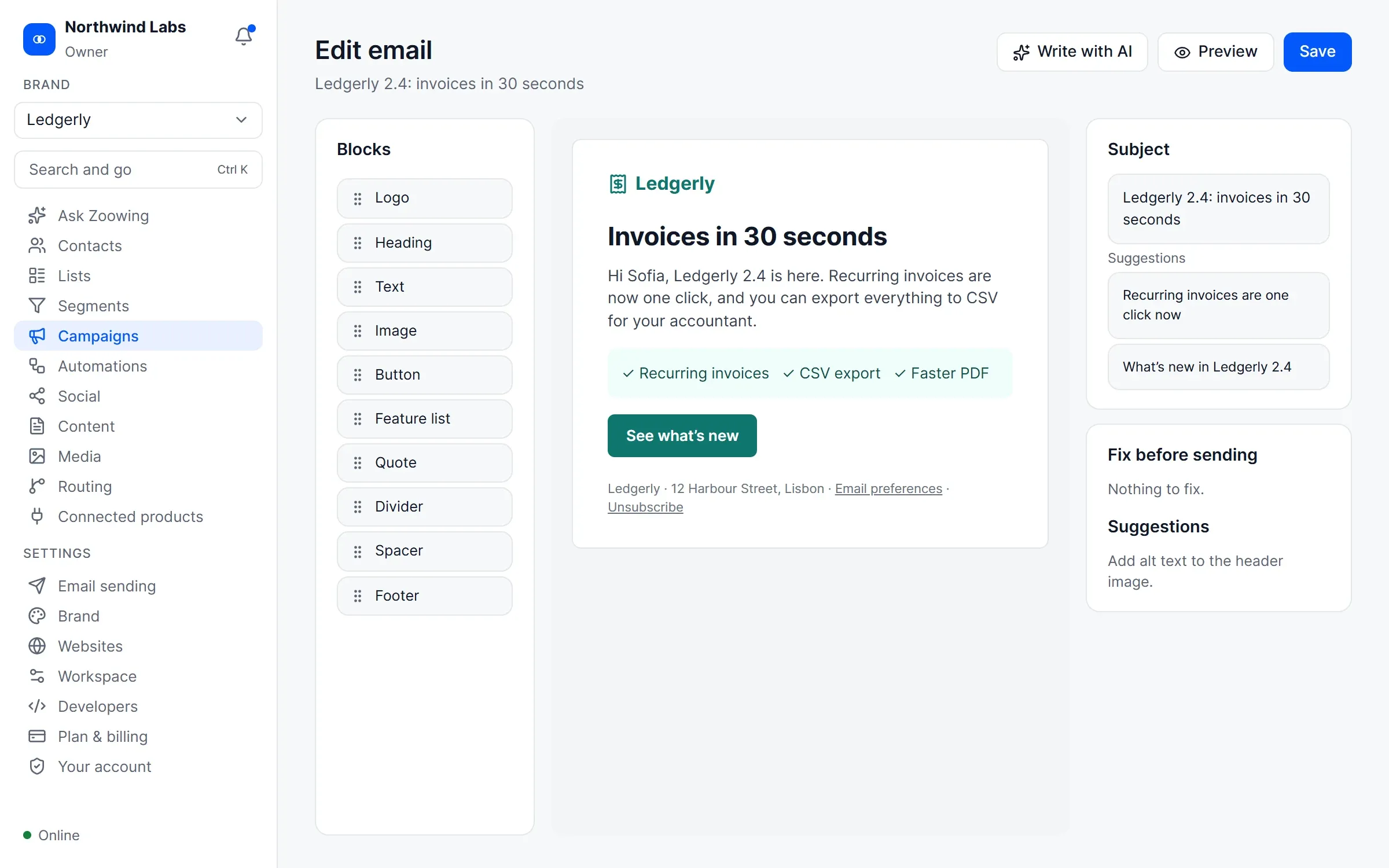
Social
Write once, post everywhere it belongs
A version for each channel with live previews, a posting schedule, AI batches and branded graphics.
Explore Social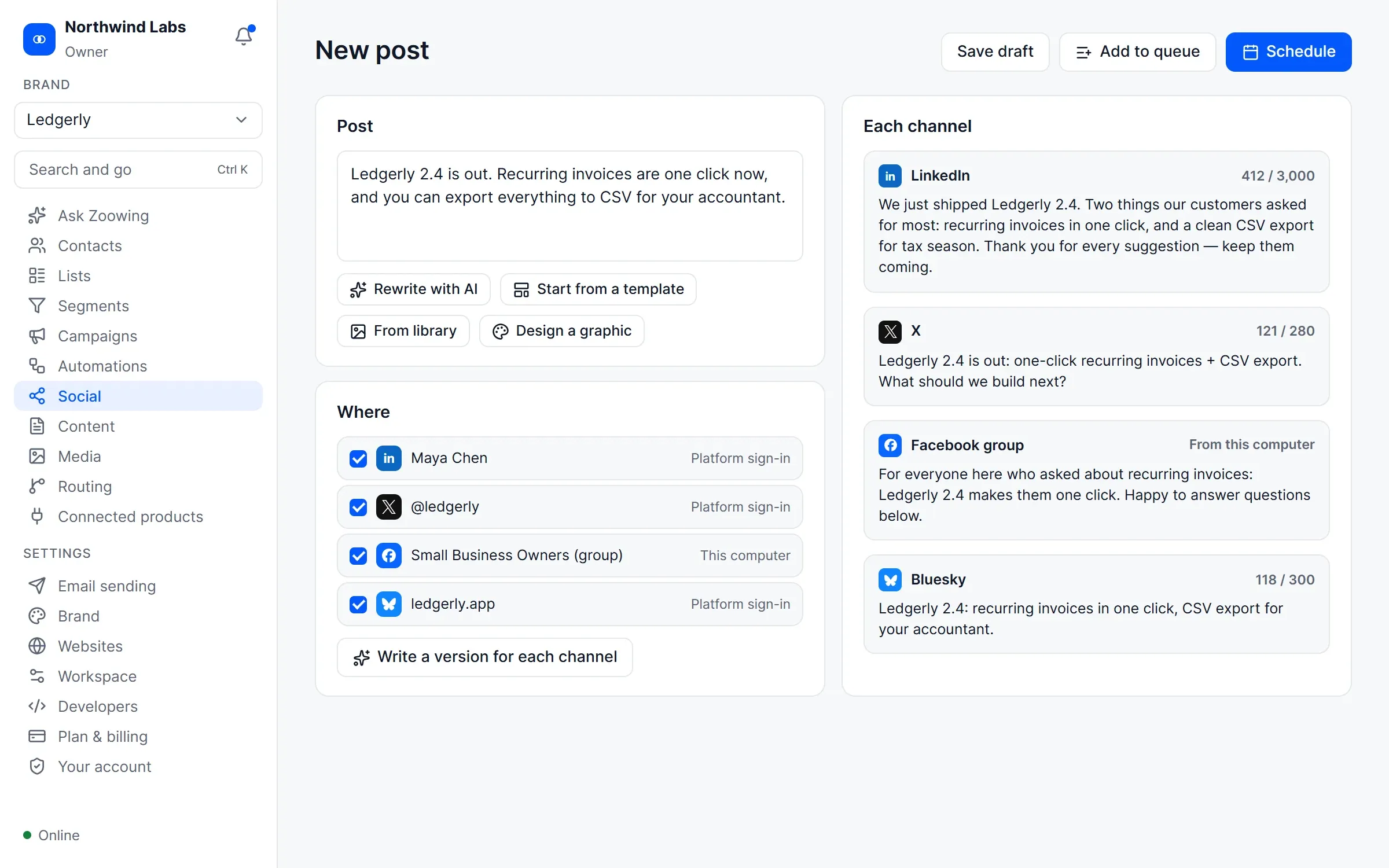
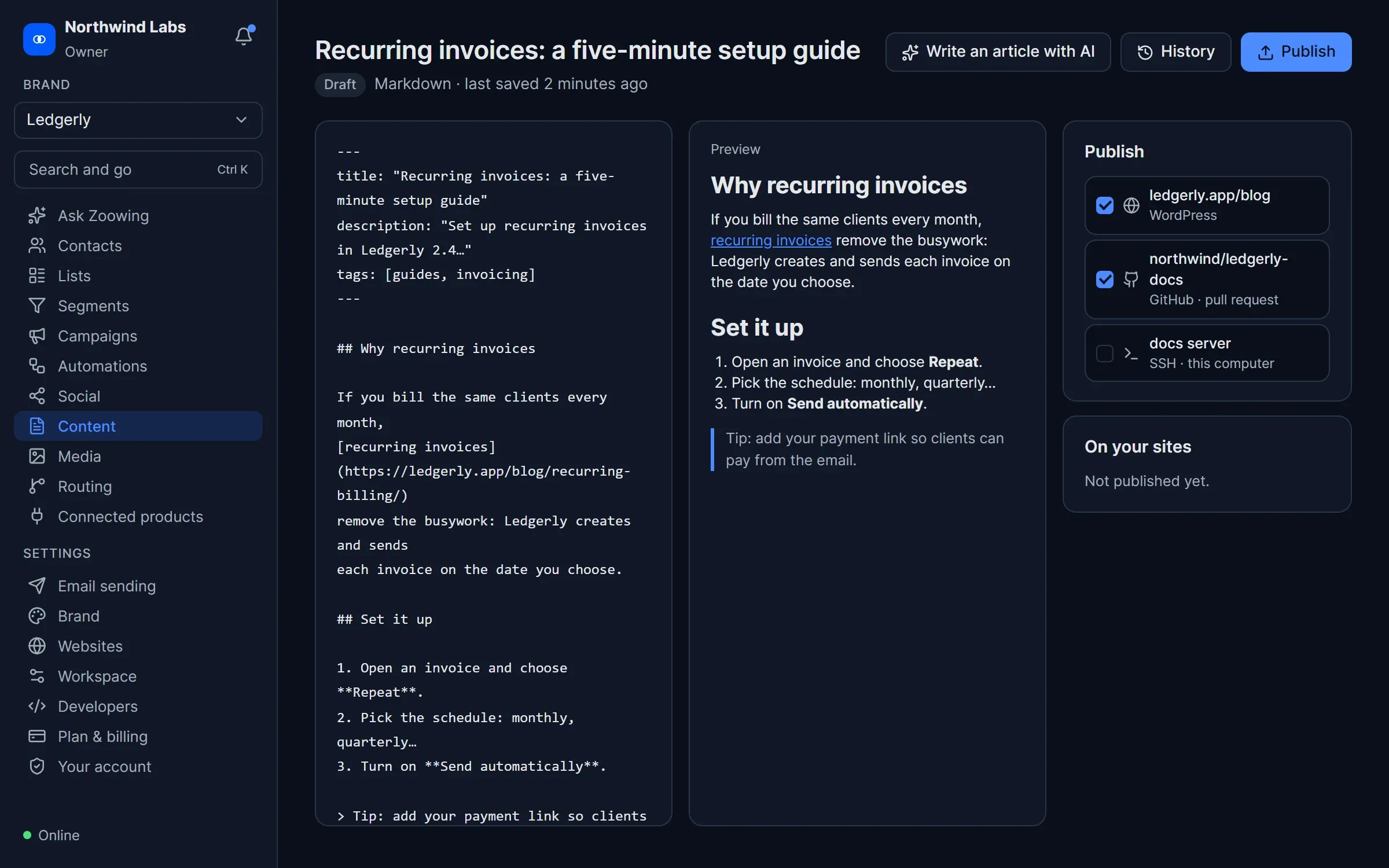
Content
Articles that publish where your site lives
Markdown with history and preview, published to WordPress, GitHub, or from your computer with Git or SSH.
Explore Content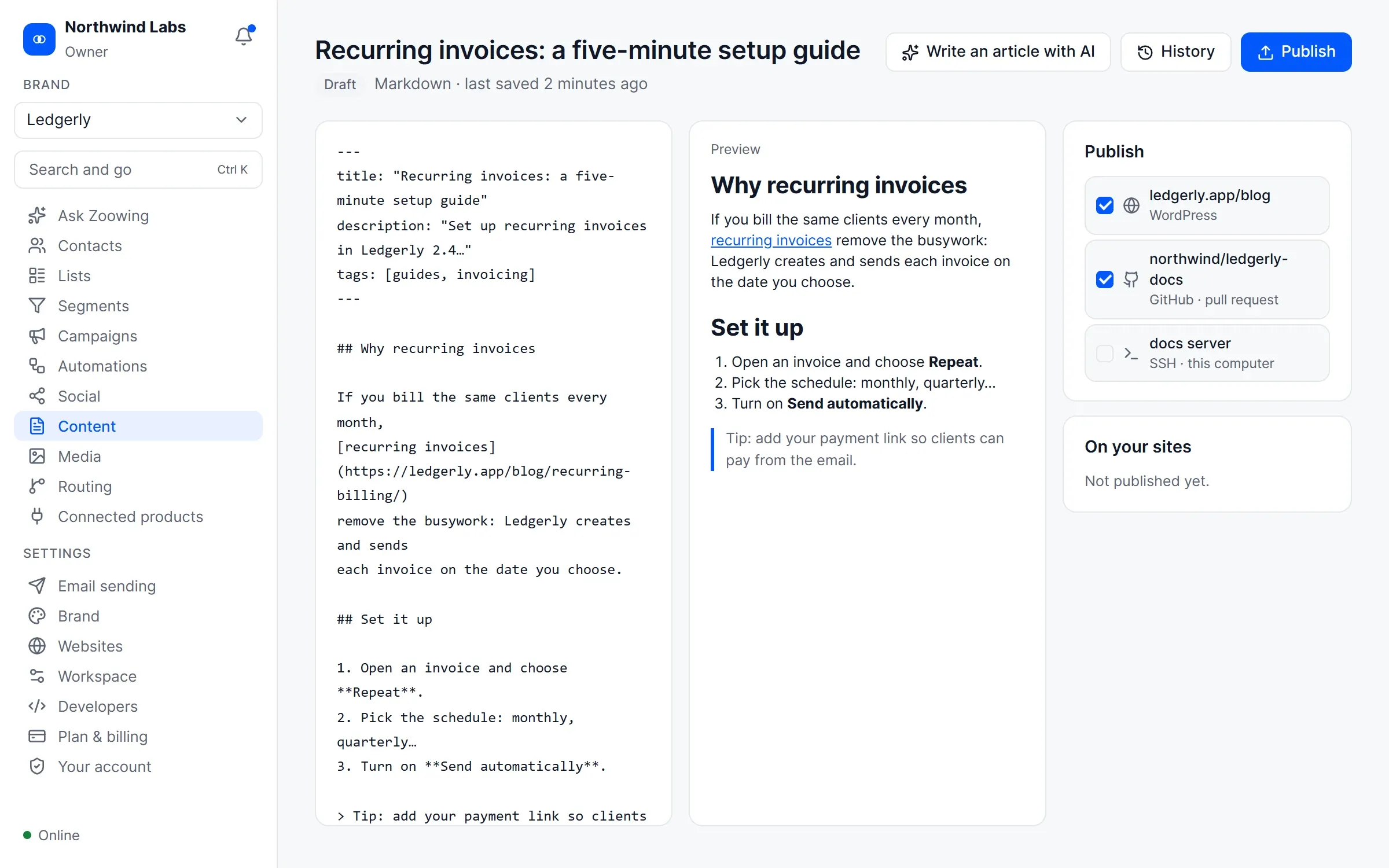
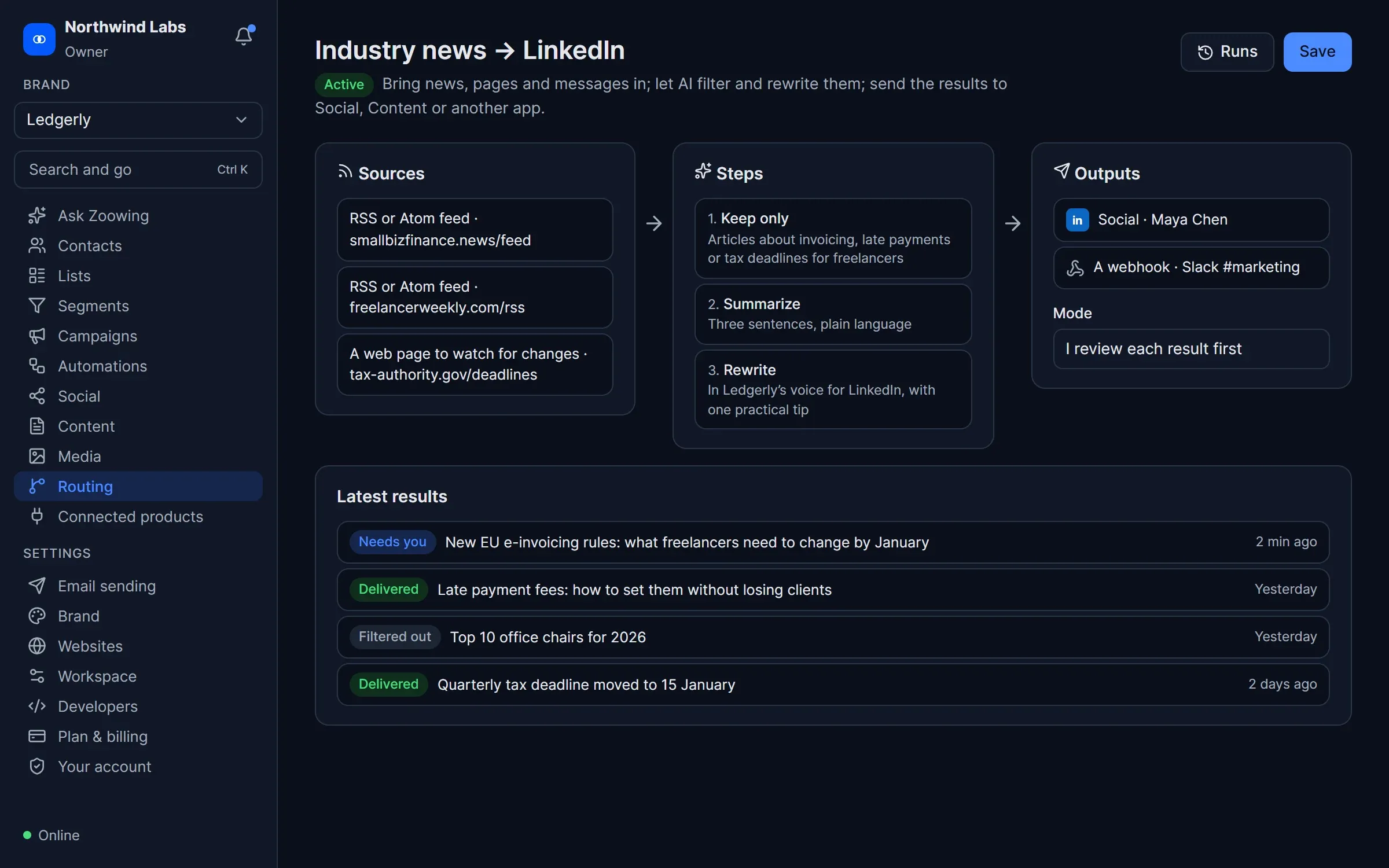
Routing
Turn feeds into posts and drafts
Keep only what matters, summarize, rewrite in your voice, and review each result before it goes out.
Explore Routing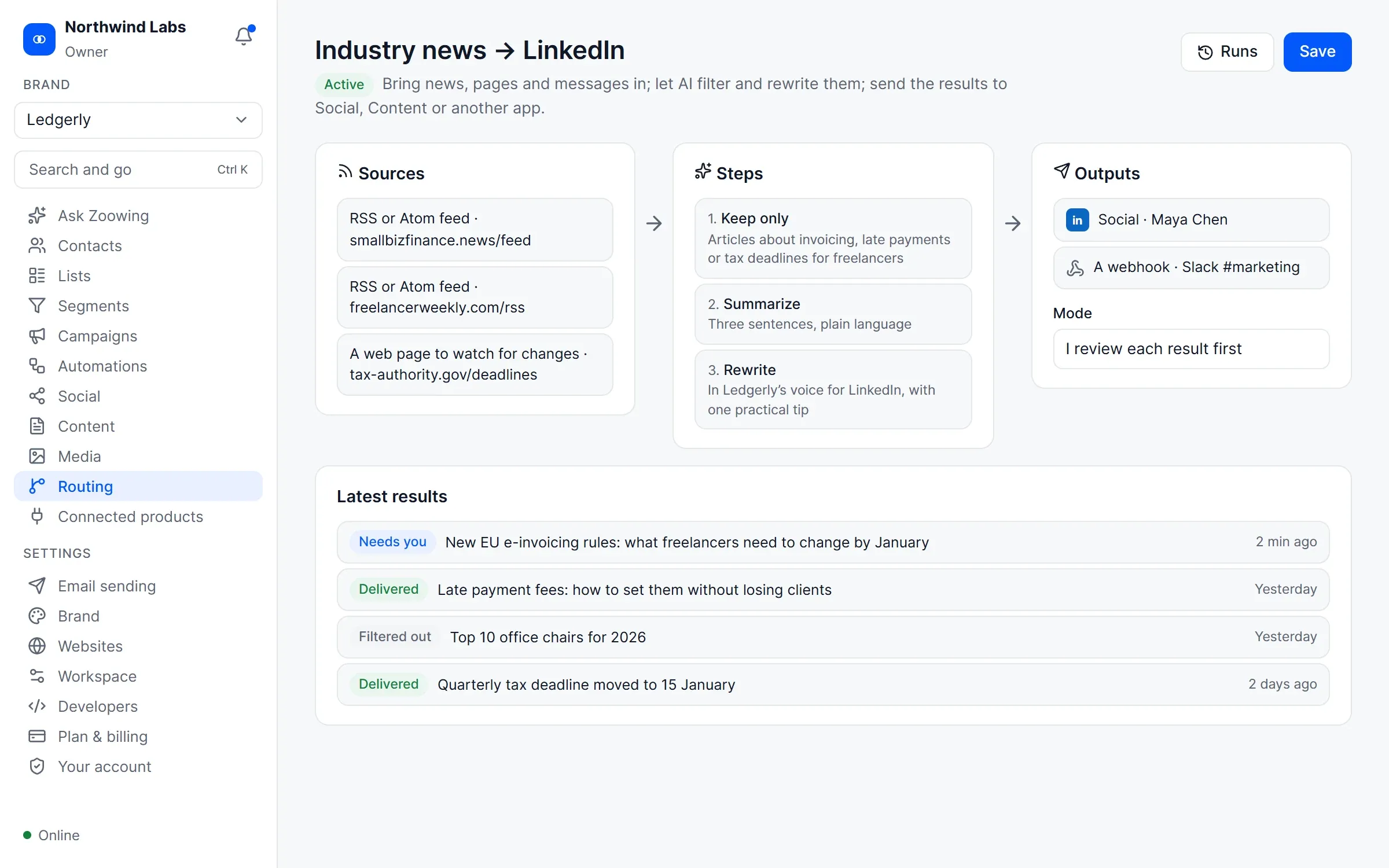
The desktop app
Post where APIs stop: from your own computer
The Zoowing desktop app for Windows, macOS and Linux posts to personal profiles, Facebook groups and LinkedIn company pages from your computer, publishes with Git or SSH, and lets you draft offline.
Explore the desktop app- Sign-ins never leave your computer
- Share an account with teammates without the password
- Fallback between the API and your computer
Yours to keep
Your sender, your AI key, your websites
Zoowing connects to what you own instead of renting it back to you.
-
Your email provider
Send through your own SMTP server, Brevo or MailBridge. Your reputation and pricing stay yours.
Learn more about Your email provider -
Your AI
Bring your Anthropic key, billed by Anthropic, or reuse AI chat subscriptions through Revoye.
Learn more about Your AI -
Your websites
Articles live on your WordPress or Git site, published with your own credentials.
Learn more about Your websites
Who it’s for
Built for people who do their own marketing
-
Solo founders
Ask for this week’s marketing on Monday, approve it, get back to building.
Learn more about Solo founders -
SaaS, plugin and app makers
New users flow in from Stripe or Freemius; every release gets its email, posts and article.
Learn more about SaaS, plugin and app makers -
Agencies and small teams
Brands kept apart, roles per brand, client accounts without shared passwords.
Learn more about Agencies and small teams
Pricing
Start free. Grow when it pays.
Every account starts with a 14-day trial of every feature, then the Free plan. Paying yearly gives you 2 months free.
Free
$0
500 contacts · 1,000 emails a month
Desktop
$19 /month
5,000 contacts · 15,000 emails a month · or $199 once
Cloud
Recommended$49 /month
25,000 contacts · 75,000 emails a month
Agency
$149 /month
100,000 contacts · 300,000 emails a month
FAQ
Questions, answered
What is Zoowing?
An AI marketing operating system: one workspace for CRM and email, social publishing, content and routing, with a web app and a desktop app for Windows, macOS and Linux. Ask Zoowing plans campaigns that you approve.
Is the Free plan really free?
Yes. Every account starts with a 14-day trial of every feature, then moves to the Free plan: one brand, 500 contacts, 1,000 emails a month and three social accounts, with a small “Sent with Zoowing” footer on emails. No card is needed.
Do I need my own AI key?
Not on Cloud or Agency, which include monthly AI credits; the trial includes 200. On any plan you can use your own Anthropic key, billed by Anthropic, or Revoye.
Who sends my emails?
Your own provider: any SMTP server, Brevo or MailBridge. Your sending reputation and deliverability stay yours.
Can Zoowing post to Facebook groups and LinkedIn company pages?
Yes, from your own computer with the Zoowing desktop app. That computer needs to be on and online at posting time. Pages, profiles and other accounts can also post from the cloud through official APIs.
Will the AI send things without asking?
No. Ask Zoowing only proposes. Work starts after a person approves the plan, and you can limit approved plans to drafts.
Can my team use it?
Yes. Invite members with roles and limit them to certain brands. Desktop includes 2 members, Cloud 5 and Agency 25 with every role.
Can I leave and take my data?
Your emails go through your own provider, your articles live on your own websites, and the Actions API and webhooks let you read your contacts and posts from your own code.
Hand the marketing work to Zoowing. Keep the final say.
Bring your brands, products and channels into one workspace. Ask for a campaign, review the plan, approve it.
14-day trial of every feature, then the Free plan. No card needed.