Desktop app · Windows, macOS, Linux
Post from your own computer, where APIs stop
Platform APIs don’t reach personal profiles, Facebook groups or LinkedIn company pages for most apps. The Zoowing desktop app does: it posts from your computer, in its own browser window, with sign-ins that never leave that computer.
14-day trial of every feature, then the Free plan. No card needed.
Sound familiar?
The audience is in places schedulers can’t reach
- “My customers hang out in a Facebook group, and no scheduler can post there.”
- “Our LinkedIn company page needs an approval most tools never got.”
- “I don’t want to hand my passwords to a cloud service.”
- “I want to write on the plane and have it sync later.”
Where you can post
Official API or your computer, per account
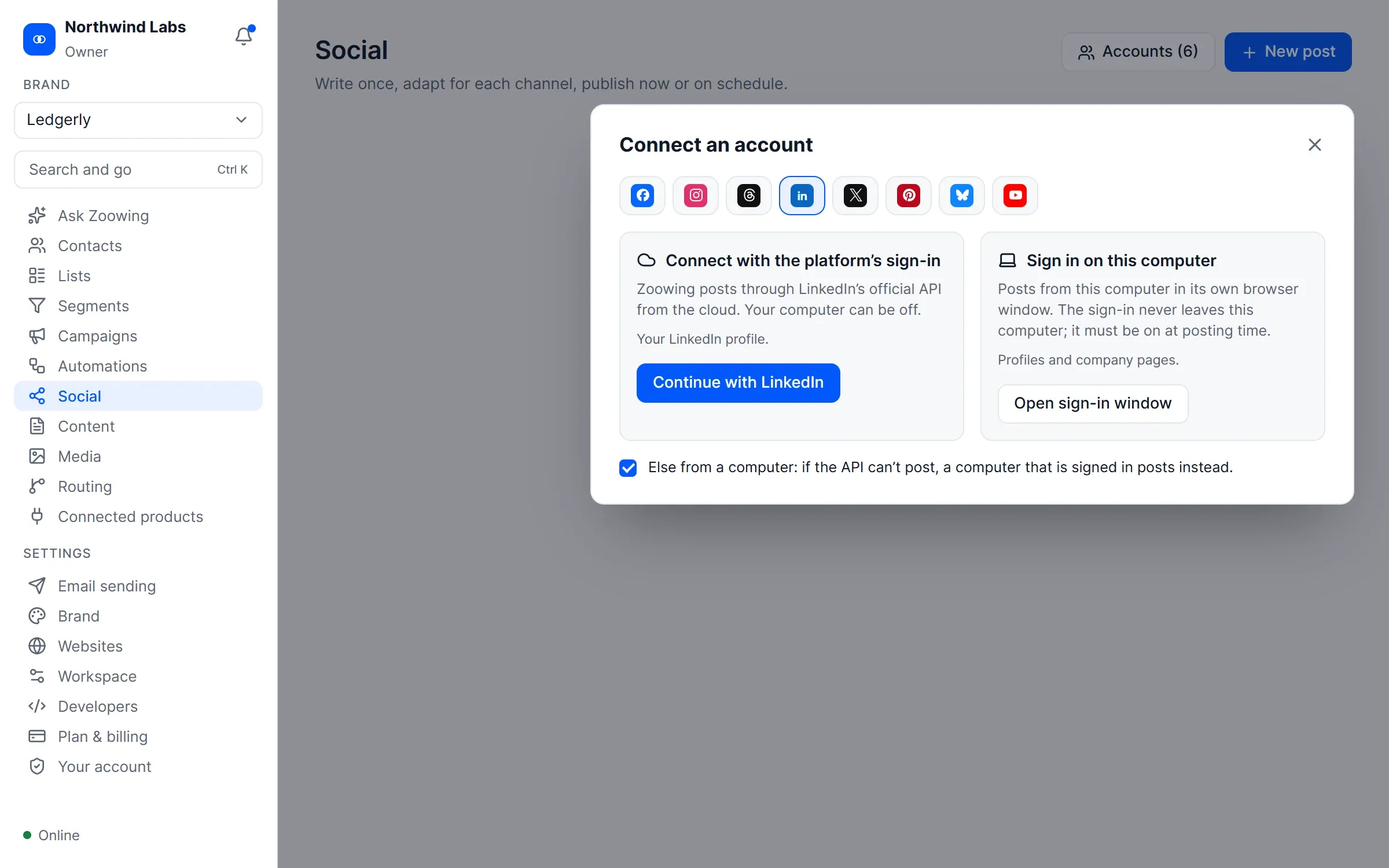
Choose per account. Where both are possible, one can be the fallback for the other.
| Item | Official API (cloud) | Your computer (desktop app) |
|---|---|---|
| Facebook Pages | Official API (cloud): Yes | Your computer (desktop app): Yes |
| Facebook groups | Official API (cloud): No | Your computer (desktop app): Yes |
| Instagram (Business) | Official API (cloud): Yes | Your computer (desktop app): Yes |
| LinkedIn profile | Official API (cloud): Yes | Your computer (desktop app): Yes |
| LinkedIn company page | Official API (cloud): No | Your computer (desktop app): Yes |
| X | Official API (cloud): Yes | Your computer (desktop app): Yes |
| Threads | Official API (cloud): Yes | Your computer (desktop app): Yes |
| Pinterest boards | Official API (cloud): Yes | Your computer (desktop app): Yes |
| Bluesky | Official API (cloud): Yes | Your computer (desktop app): Yes |
| YouTube channel Community posts | Official API (cloud): No | Your computer (desktop app): Yes |
Personal profiles work from your computer on all eight platforms. API sign-in for each platform depends on that platform approving Zoowing’s app; the app shows which are ready.
Sign in on this computer
Your sign-ins stay on your computer
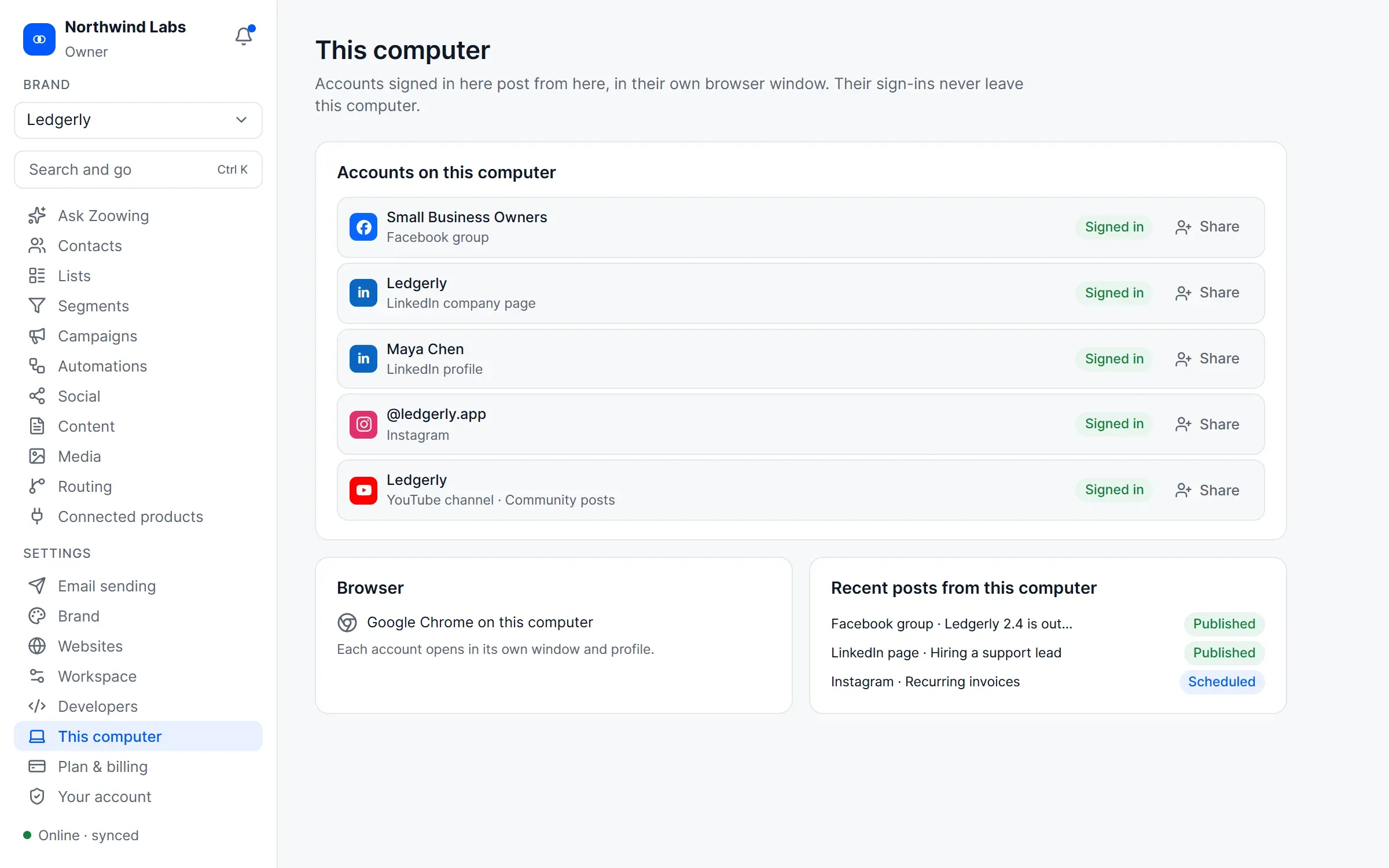
Each account opens in its own browser window and profile on your computer, using Chrome or Edge if you have them. Zoowing never receives the password or the session.
- “This computer” shows every account signed in here and the posts it made
- The computer must be on and online at posting time
- A post that can’t go out on time is marked Missed, never sent late
Share without passwords
Teammates post through your computer’s sign-in
Share an account signed in on your computer, and teammates can schedule posts to it without ever seeing the password. Turn on “Else from a computer” to fall back when the API can’t post.
- Fallback from the API to a computer, or from a computer to the API
- Revoke a computer from the web app at any time
Publish and work offline
Local publishing and offline drafts
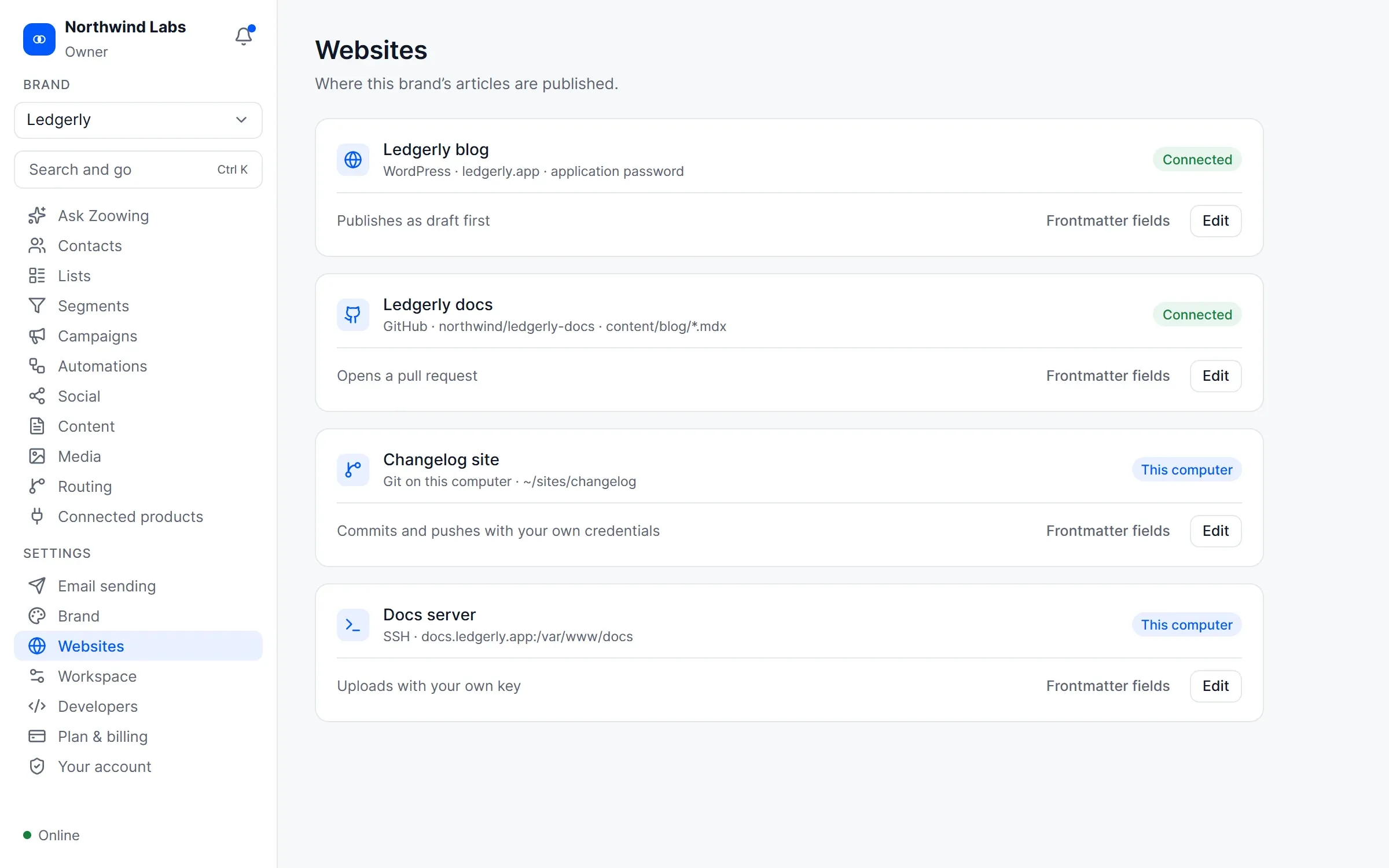
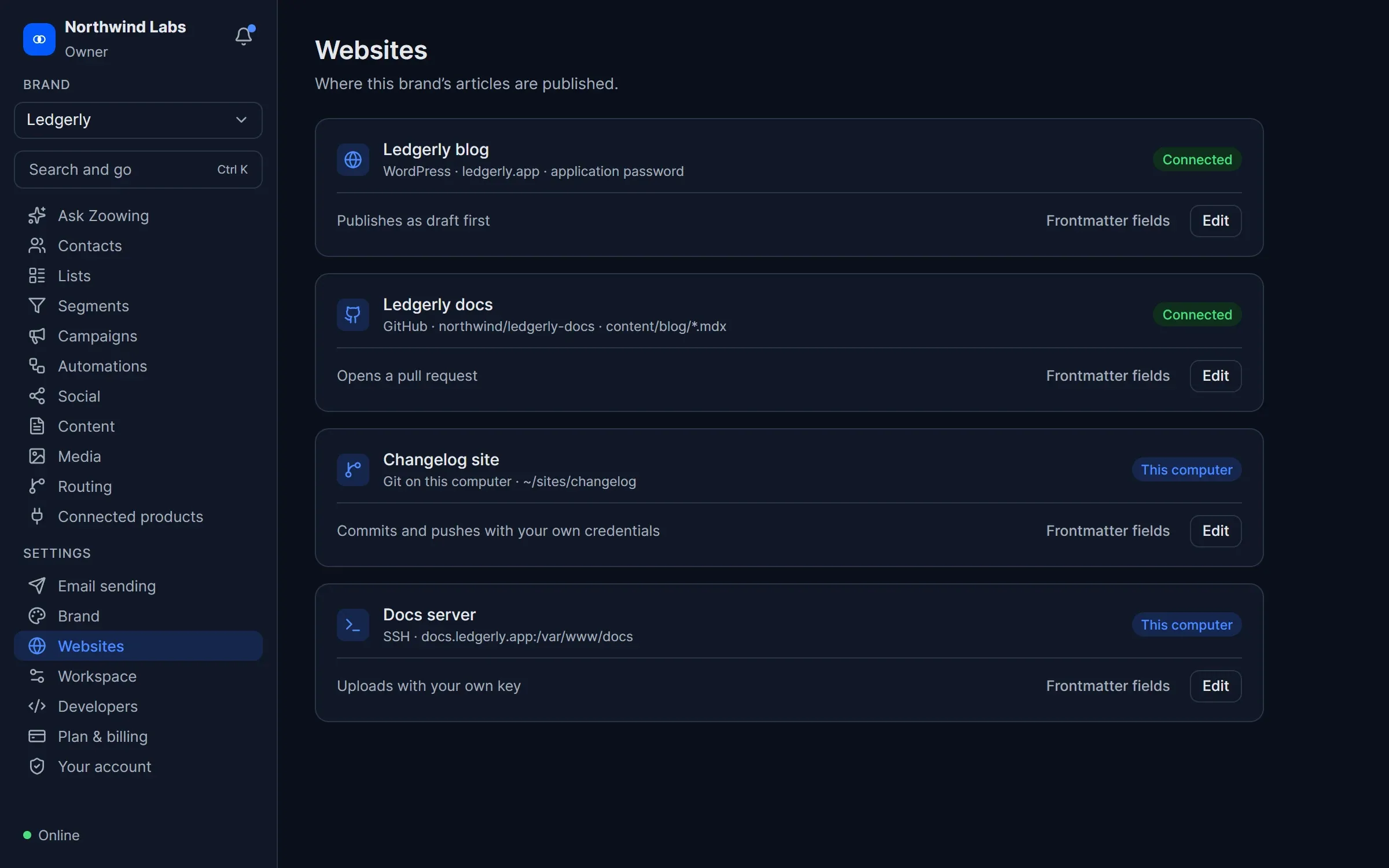
Publish articles from your computer to a Git repository with your own credentials, or to a server over SSH with your own key. Draft posts and articles offline; they sync when you reconnect, and you choose how to resolve a conflict.
- Keep mine, keep theirs or save as a copy
- Sending and publishing need a connection
- Tokens stored in your system keychain
Download
Get Zoowing for your computer
One account for the web app and the desktop app. Connect a computer with a code you confirm in the browser.
-
Windows
Installer (.exe) · x64 and Arm64
Start in your browser -
macOS
Disk image (.dmg) · Apple silicon and Intel
Start in your browser -
Linux
AppImage, .deb and .rpm · x64
Start in your browser
Signed installers are published with the first public release. Your account, brands and drafts carry over to the desktop app. You sign in to the desktop app with your Zoowing account, through your browser.
Good to know before you post from a computer
- Posting through a browser is your choice for each account; check each platform’s rules for automated posting.
- Each account posts from its own window, and Zoowing can pause posting to a platform remotely if that platform changes.
- If no Chrome or Edge is installed, the app can download a browser for Zoowing (about 150 MB).
- The desktop app works with your Zoowing account online; it is not a separate offline product.
The desktop app is part of every plan: 1 computer on Free, 3 on Desktop, 5 on Cloud and 25 on Agency. The Desktop plan is also sold once, as a lifetime deal.
Compare plansFAQ
Questions, answered
Which systems does the app run on?
Windows (x64 and Arm64), macOS (Apple silicon and Intel) and Linux (AppImage, .deb and .rpm).
Is posting from my computer against platform rules?
Platforms have rules about automation, and they differ. Posting from your computer is a choice you make per account, and Zoowing can’t promise how a platform will treat automated posts.
Does my computer need to be on?
For accounts signed in on your computer, yes, at posting time. If it’s off, the post is held and marked Missed. Accounts connected through the platform’s API post from the cloud.
Can I use Zoowing offline?
You can read synced data and draft posts and articles offline. Sending, publishing, inviting and billing need a connection.
Do I need the desktop app at all?
No. Everything except posting from your computer, Git and SSH publishing from your computer, and offline drafting also works in the web app.
Reach the places your customers actually are.
Start free, connect your accounts, and post from the cloud or from your own computer.
14-day trial of every feature, then the Free plan. No card needed.