Routing
Turn feeds into posts, drafts and alerts
Bring news, pages and messages in. Let AI keep only what matters, summarize, rewrite in your voice or translate. Send the results to your social accounts, an article draft, an email draft or another app, after you review them.
14-day trial of every feature, then the Free plan. No card needed.
Sound familiar?
Staying visible means sharing what’s new in your field
- “I read ten industry sites and post about none of them.”
- “RSS-to-social tools just repost headlines. They don’t sound like us.”
- “I want a heads-up when a competitor changes their pricing page.”
Pipelines
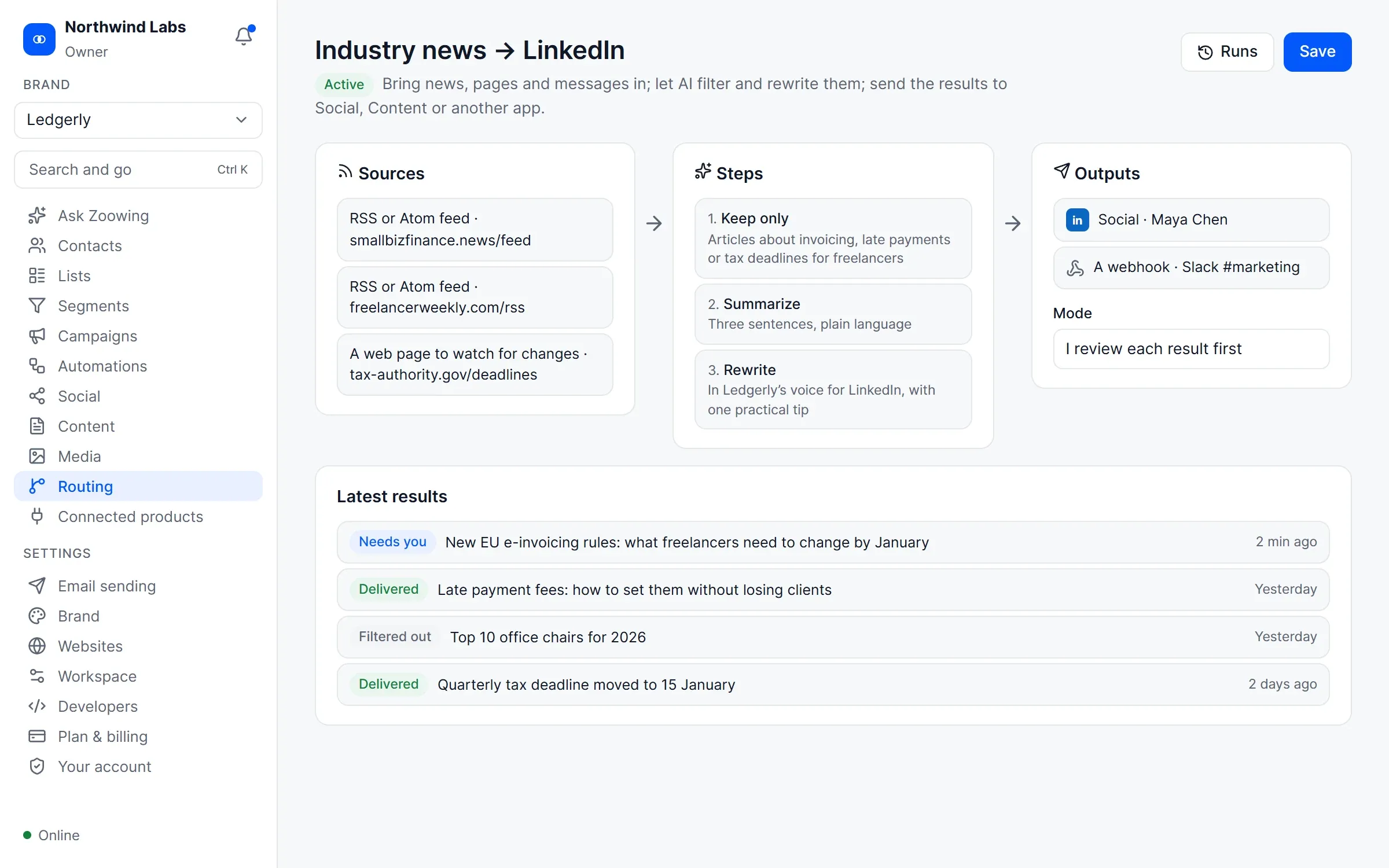
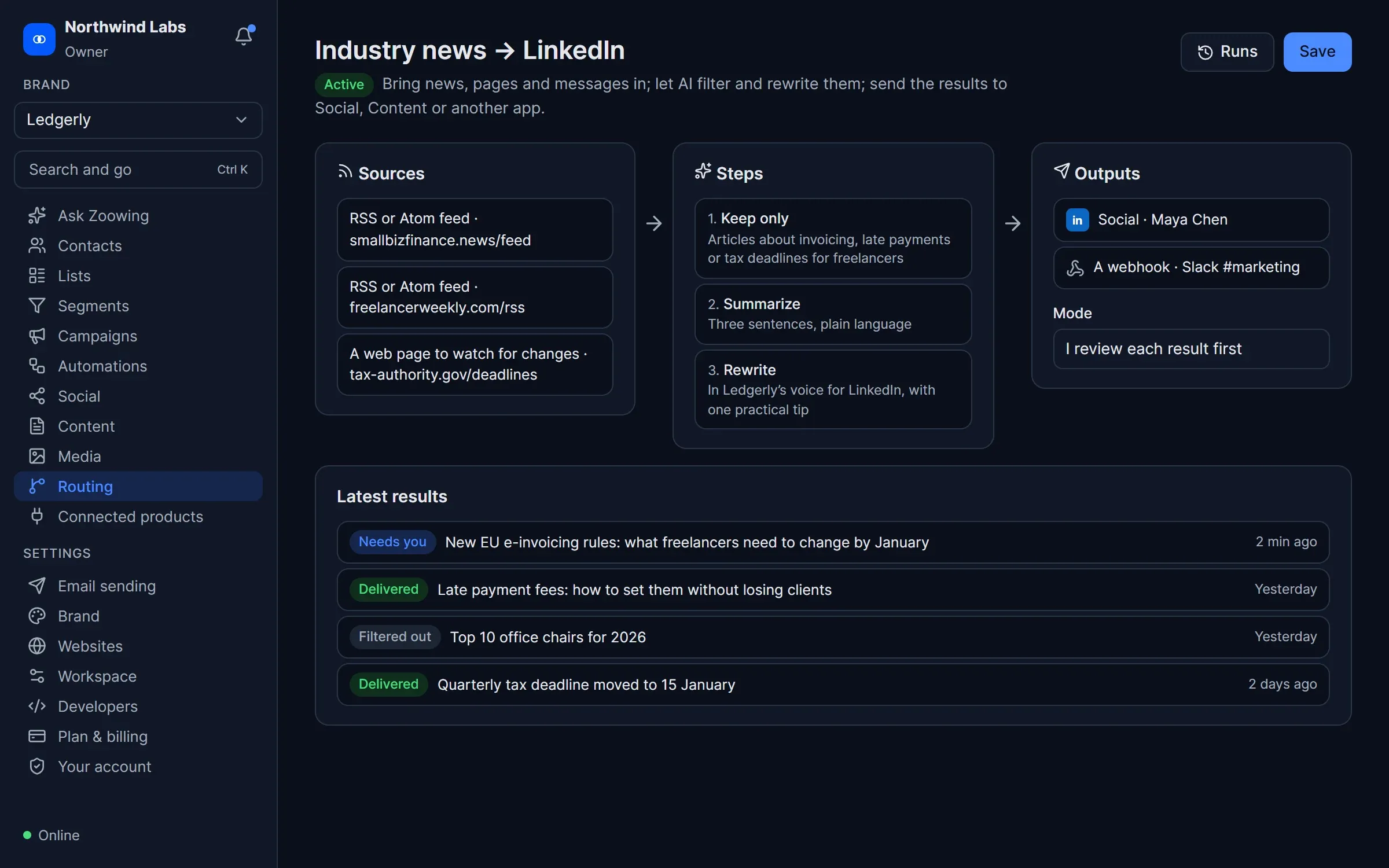
Sources, AI steps, outputs
- 1
Sources
RSS or Atom feeds, a web page to watch for changes, a webhook another app posts to, and on desktop a page only you can see, read by your computer’s browser.
- 2
AI steps
Keep only, Summarize, Rewrite, Translate or a Custom instruction, in the order you choose.
- 3
Review
“I review each result first” is the default: results wait as Needs you. Or switch a pipeline to send automatically.
- 4
Outputs
Social accounts, an article draft, an email campaign draft, or a webhook to another app.
Review
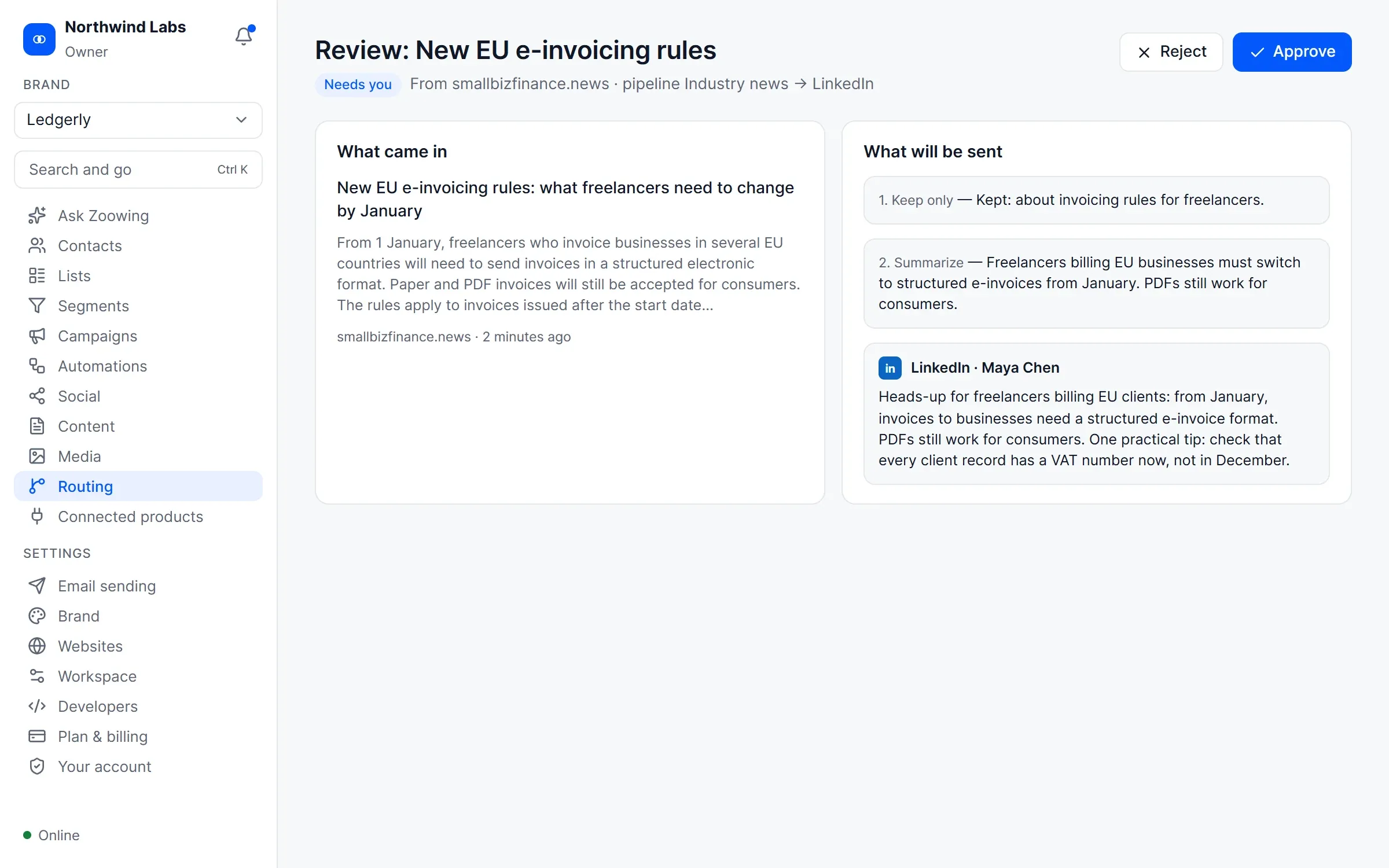
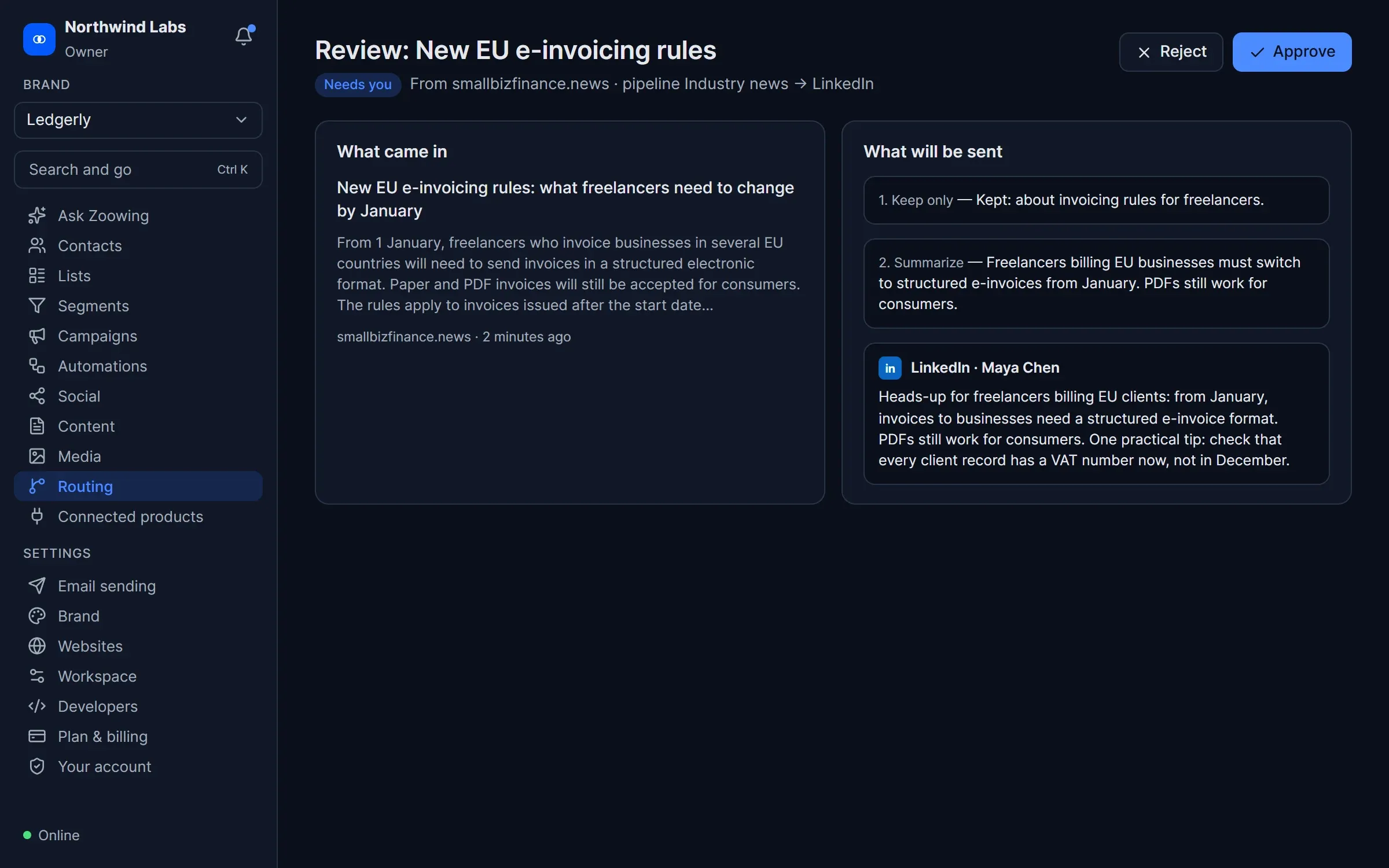
See what each step did before it goes out
Each result shows what came in, what every AI step did and what will be sent. Approve it or reject it. Filtered-out items are kept so you can see what was skipped.
- Statuses: Needs you, Delivered, Filtered out, Rejected, Failed
- Duplicates are skipped by content
Routing is part of every plan; its AI steps use your own Anthropic key or Revoye, or the AI credits included with Cloud and Agency.
Compare plansFAQ
Questions, answered
Which sources can a pipeline read?
RSS and Atom feeds, any web page watched for changes, and webhooks from other apps. With the desktop app, a page only you can see (for example behind your sign-in) can be read by your computer’s browser.
Can results post automatically?
Yes, if you switch a pipeline to send automatically. New pipelines start with “I review each result first”, which we recommend for anything that comes from outside.
How often are feeds checked?
Zoowing checks your sources regularly in the background. There is no per-pipeline cron schedule to set.
Can a pipeline add contacts to my CRM?
No. Pipeline outputs are social posts, article drafts, email drafts and webhooks. Contacts come in through Connected products.
Hand the marketing work to Zoowing. Keep the final say.
Bring your brands, products and channels into one workspace. Ask for a campaign, review the plan, approve it.
14-day trial of every feature, then the Free plan. No card needed.