Content
Articles that publish where your site lives
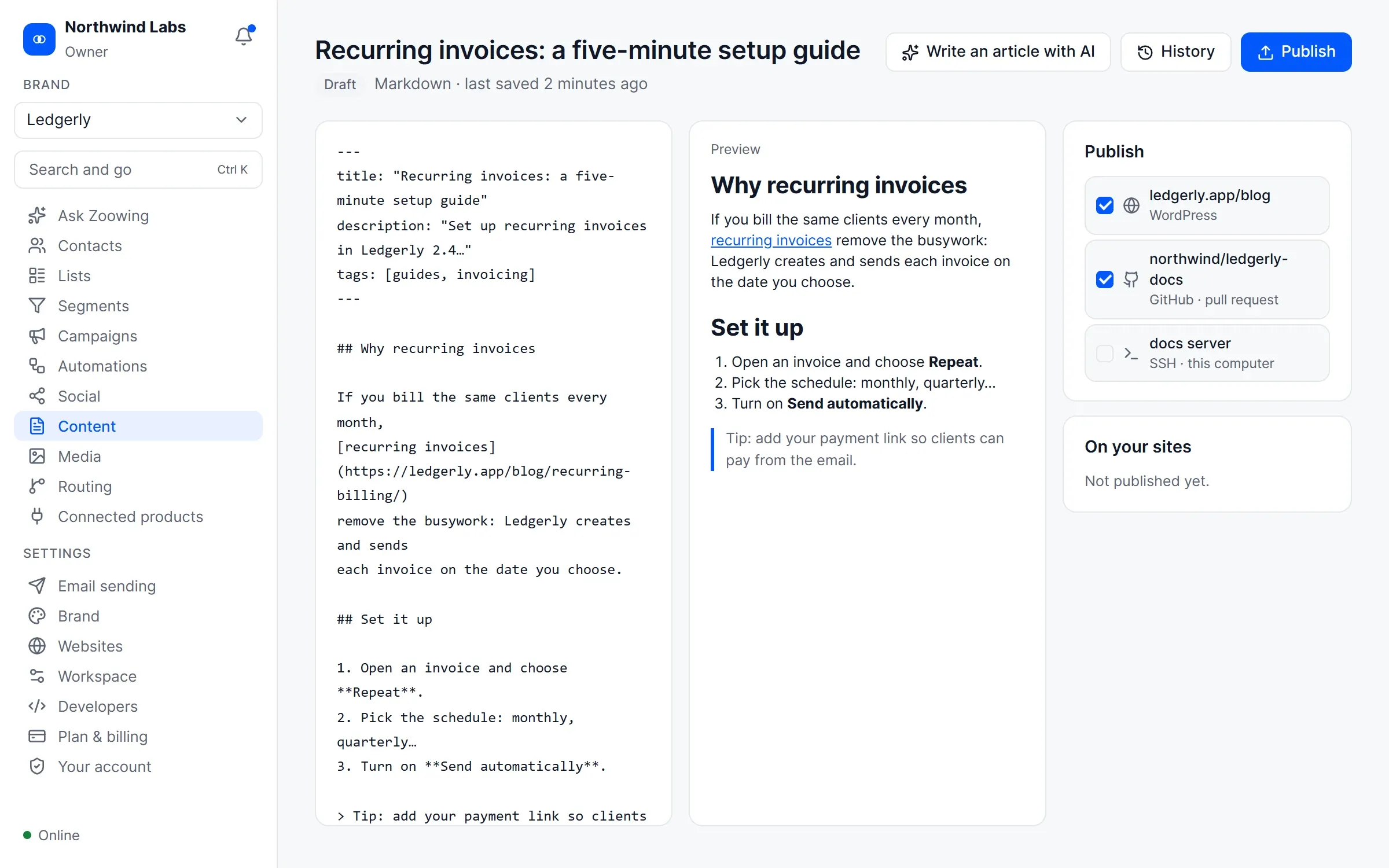
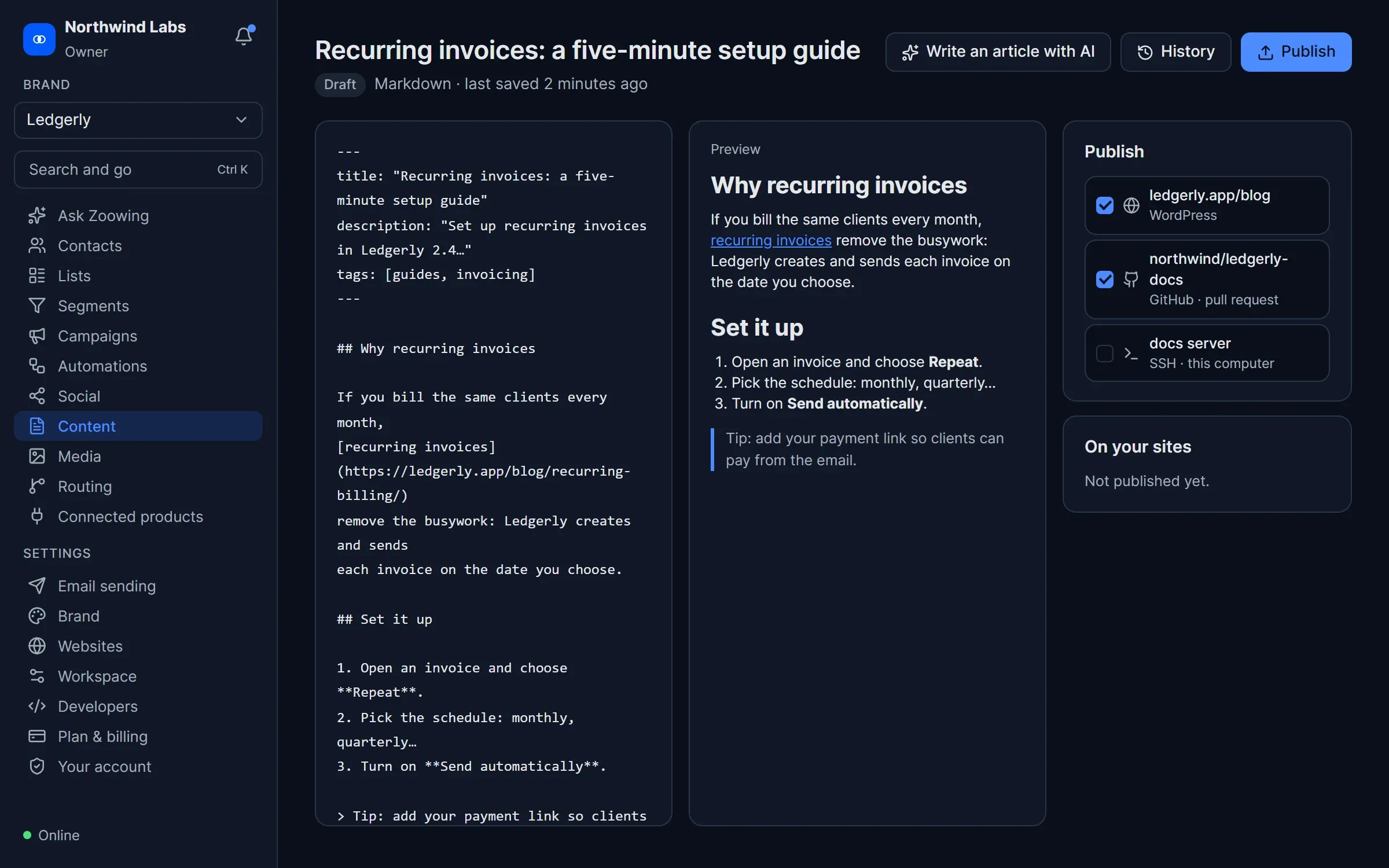
Write once in Markdown with a live preview and history, then publish to WordPress, open a pull request on GitHub, or publish from your own computer with Git or SSH. Each website gets the frontmatter it expects.
14-day trial of every feature, then the Free plan. No card needed.
Sound familiar?
Your blog shouldn’t be the last thing you update
- “The release went out a week ago; the blog post is still in a doc.”
- “Our docs site is MDX in a repo, and every post means a manual pull request.”
- “I write for two sites with different frontmatter and always get one wrong.”
Websites
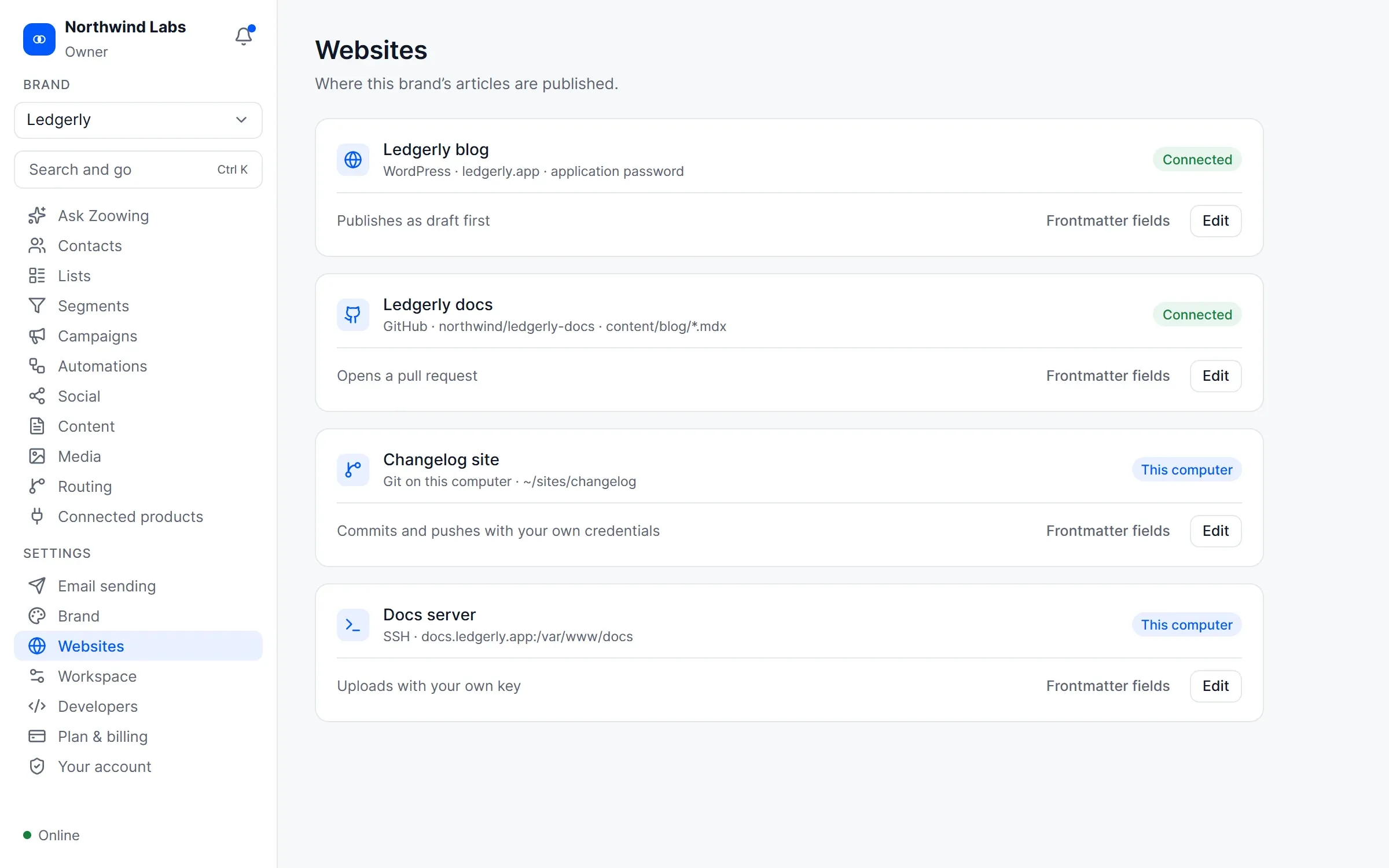
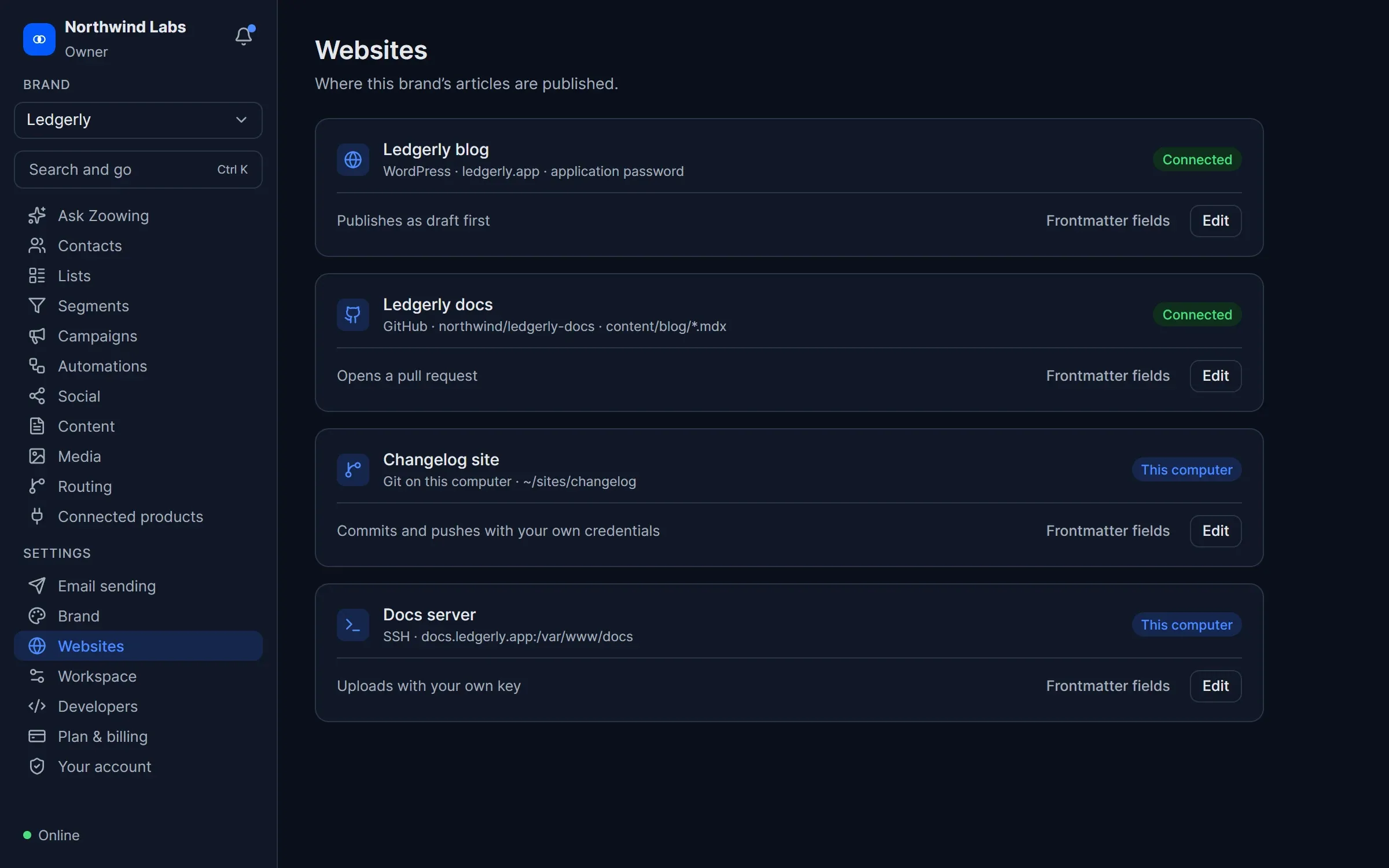
WordPress, GitHub, Git and SSH
Add each website once. WordPress uses an application password and can publish or save a draft. GitHub uses a fine-grained token and opens a pull request or commits .md or .mdx files.
- From your computer: commit and push to a local Git repository with your own credentials
- From your computer: upload to a server over SSH with your own key
- Frontmatter fields set per website
Write an article with AI
Drafts that link to your own pages
Give Zoowing a brief, pasted notes or a URL. It searches your own published articles and feed items, writes the draft in Markdown and links to your real pages.
- Live preview in a sandbox
- Version history
- Status for each site: Draft, Waiting, Publishing, Published, Failed
Routing to content
Turn feeds into article drafts
A routing pipeline can send what it finds, summarized or rewritten by AI, to an article draft for you to finish and publish.
RoutingContent publishing is part of every plan. Git and SSH publishing run from the desktop app on your computer.
Compare plansFAQ
Questions, answered
Is the editor WYSIWYG?
No. Articles are Markdown with a live preview, which keeps them portable between WordPress and Git-based sites.
Which website platforms are supported?
WordPress, GitHub repositories, any Git repository on your computer, and any server you can reach over SSH. Static site generators that read Markdown or MDX from a repository work through GitHub or Git.
Do my Git and SSH keys go to Zoowing?
No. Git and SSH publishing run on your computer in the desktop app, using credentials and keys that stay there.
Can it publish to several sites at once?
Yes. Pick each website in Publish; each site shows its own status.
Hand the marketing work to Zoowing. Keep the final say.
Bring your brands, products and channels into one workspace. Ask for a campaign, review the plan, approve it.
14-day trial of every feature, then the Free plan. No card needed.